
Every receipt, on the day you paid it.
Fiskalnik turns a Serbian fiscal receipt into a Google Calendar event, from its QR code. No account, no server.
Add to Firefox Watch the video (53 seconds, in Serbian, on YouTube)
For Firefox on desktop and Android. Chrome: install from source.
Why
- Receipts get lost. The paper fades and the email is buried, but the QR code on every fiscal receipt leads to the full receipt on the Tax Administration's portal.
- Your calendar already knows the day. An event at the time you paid, with the merchant, the items and the total, is easy to find again: for a warranty, a refund or your monthly spending.
- Nothing new to sign up for. The events live in your own Google Calendar.
How it works
- Open a receipt on
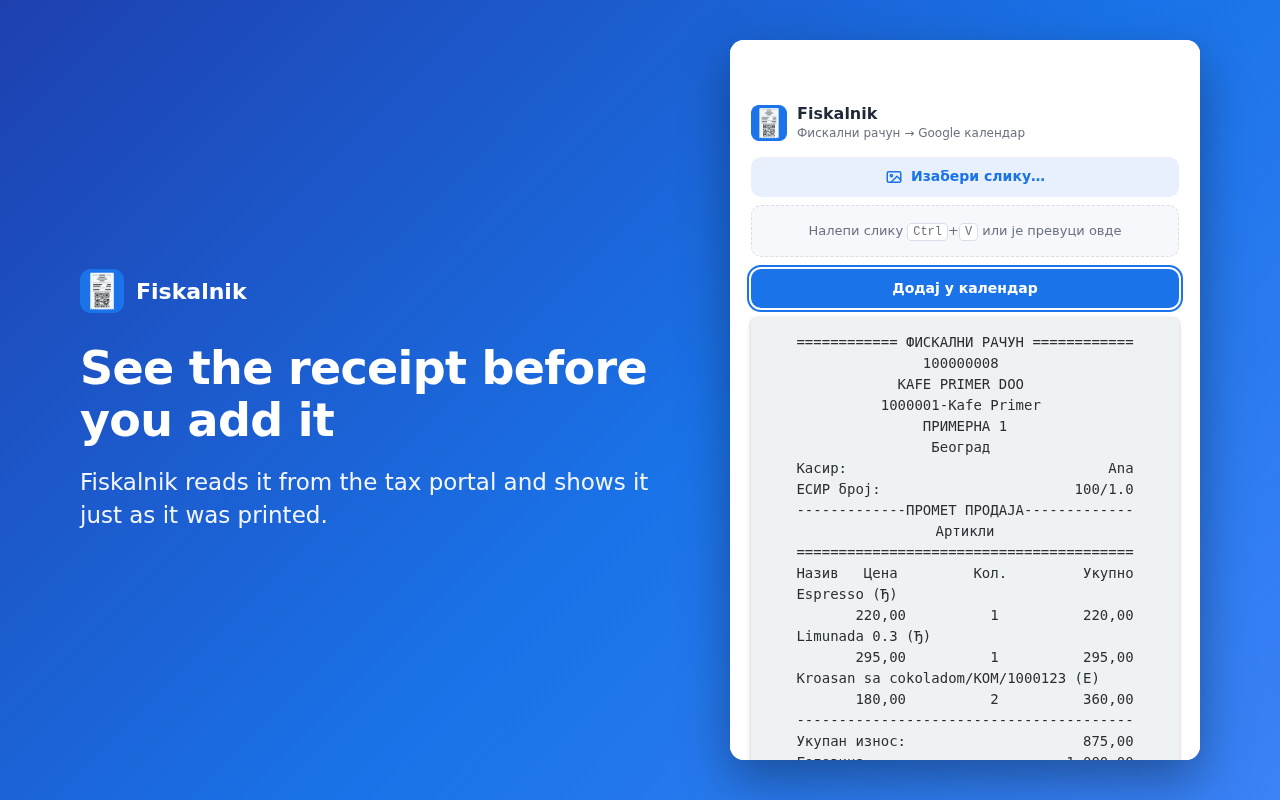
suf.purs.gov.rsand click Додај у календар, or click the toolbar icon and scan the receipt's QR code from the tab you are looking at, a pasted screenshot or an image file. - Check the receipt, which is shown as it was printed.
- Google Calendar opens with the event filled in. Pick the calendar and press Save.
Privacy
No account, no tracking, and no server of ours: the extension keeps nothing and sends nothing to the developer. The receipt is read from the tax portal and handed to Google Calendar in your own browser. Privacy policy
Source code (MIT) · Not affiliated with, endorsed or sponsored by the Tax Administration of the Republic of Serbia or Google.