Your LinkedIn profile is the source of truth. Your CV should be too.
Resume Maker for LinkedIn turns your profile into a clean PDF resume in one click. Everything stays in your browser.
Why
- Recruiters check your profile. Before the interview, and often before they open your CV.
- Mismatches cost trust. An old job title, a missing project or different dates make them wonder which version is true.
- So keep one source. Update your LinkedIn profile, then make the CV from it. The two never drift apart, and there's no separate Word file to maintain.
How it works
- Open your LinkedIn profile and click 📄 Make CV.
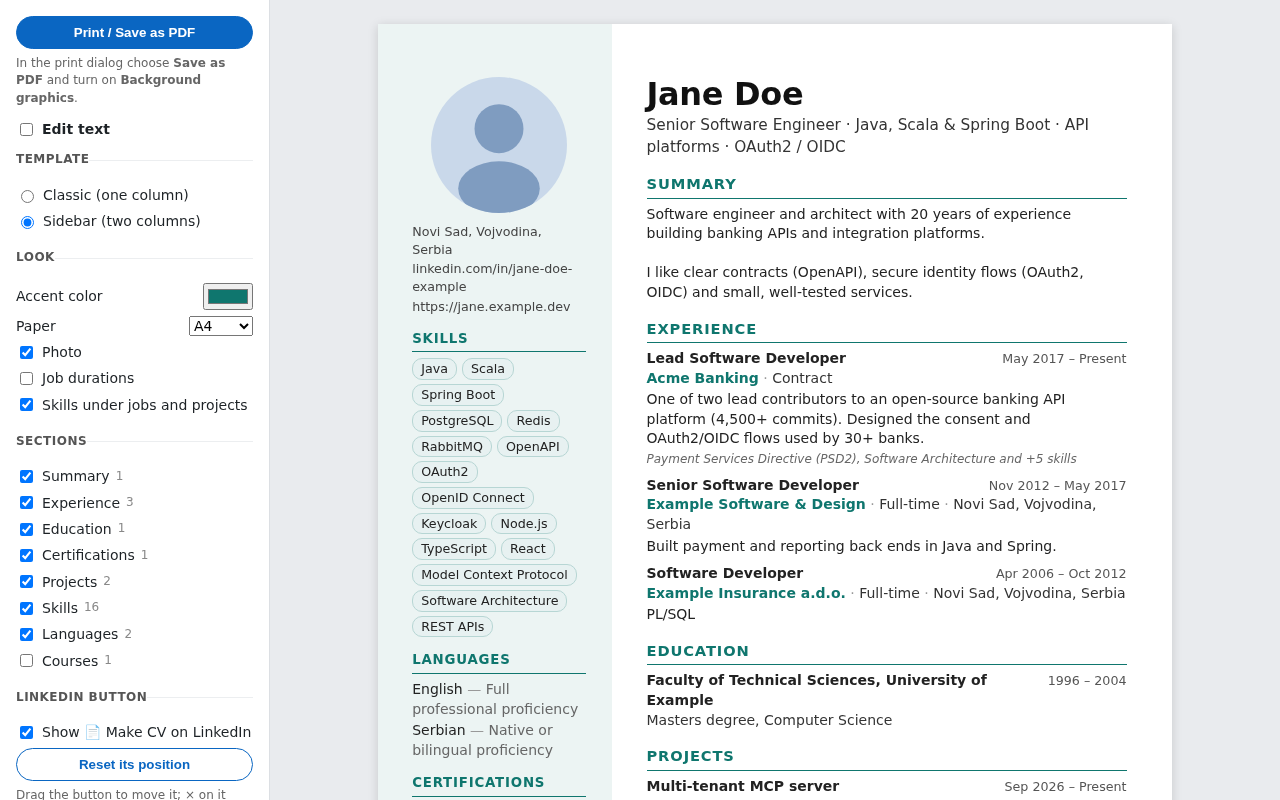
- Pick a template and accent color, switch sections on or off, and fix any text in place (add your email and phone there).
- Click Print / Save as PDF.
Privacy
No account, no server, no tracking. Your profile is read only when you click the button and is stored only on your computer. Privacy policy
Source code (MIT) · Not affiliated with, endorsed or sponsored by LinkedIn.